AgentView
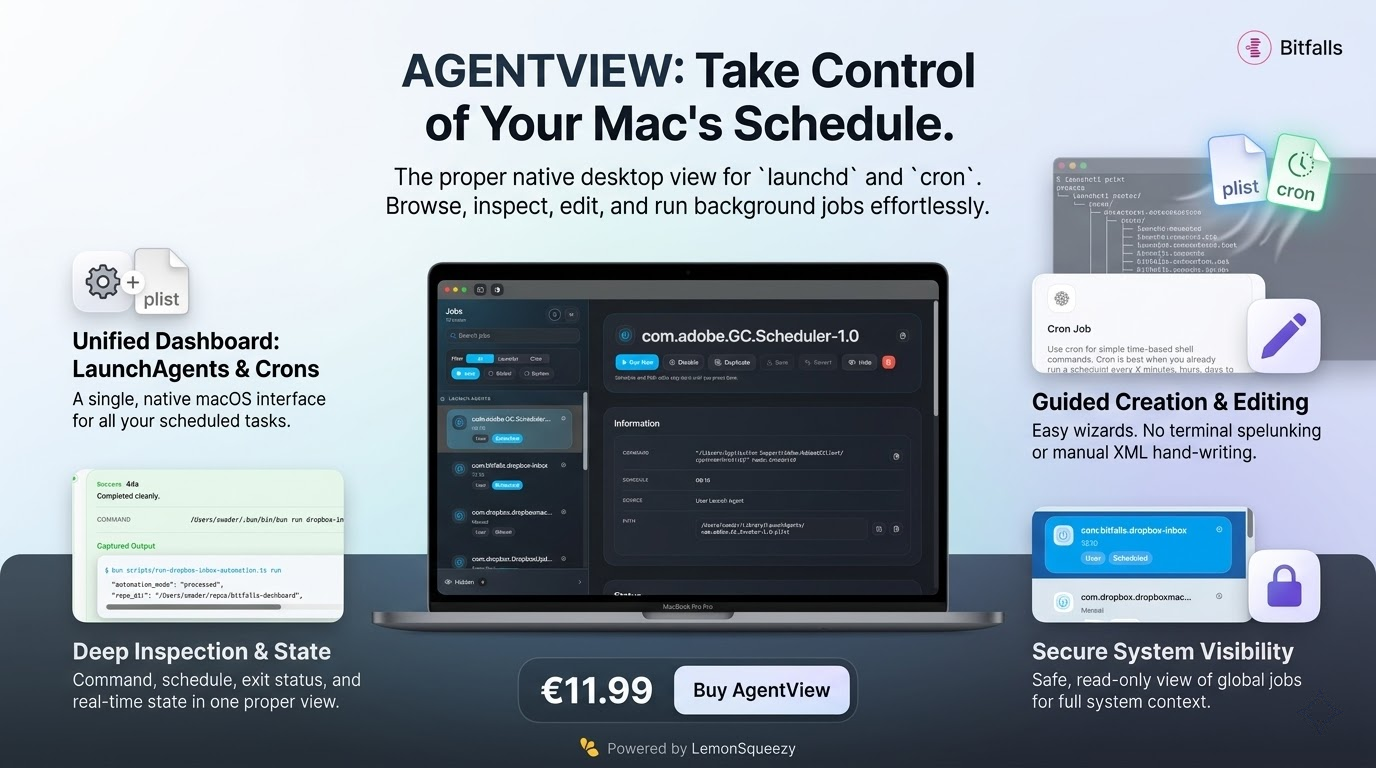
Native macOS control panel for user LaunchAgents and cron jobs, with editable schedules, source paths, runtime state, and safer local automation.
AgentView is a native macOS app for inspecting and managing the scheduled work already running on your Mac.
You can buy AgentView for a one-time fee of $11.99.
If you have ever forgotten why a cron job exists, wondered whether a LaunchAgent is still loaded, or needed to tweak a background job without dropping into Terminal, AgentView gives you a proper desktop view over launchd and cron.
No hunting through ~/Library/LaunchAgents. No launchctl print spelunking. No manual crontab -e editing unless you want it. Just browse, inspect, edit, run, and move on.
Why AgentView
- Brings
launchdjobs and cron jobs into one native macOS interface. - Shows what is user-owned and editable versus what is system-owned and read-only.
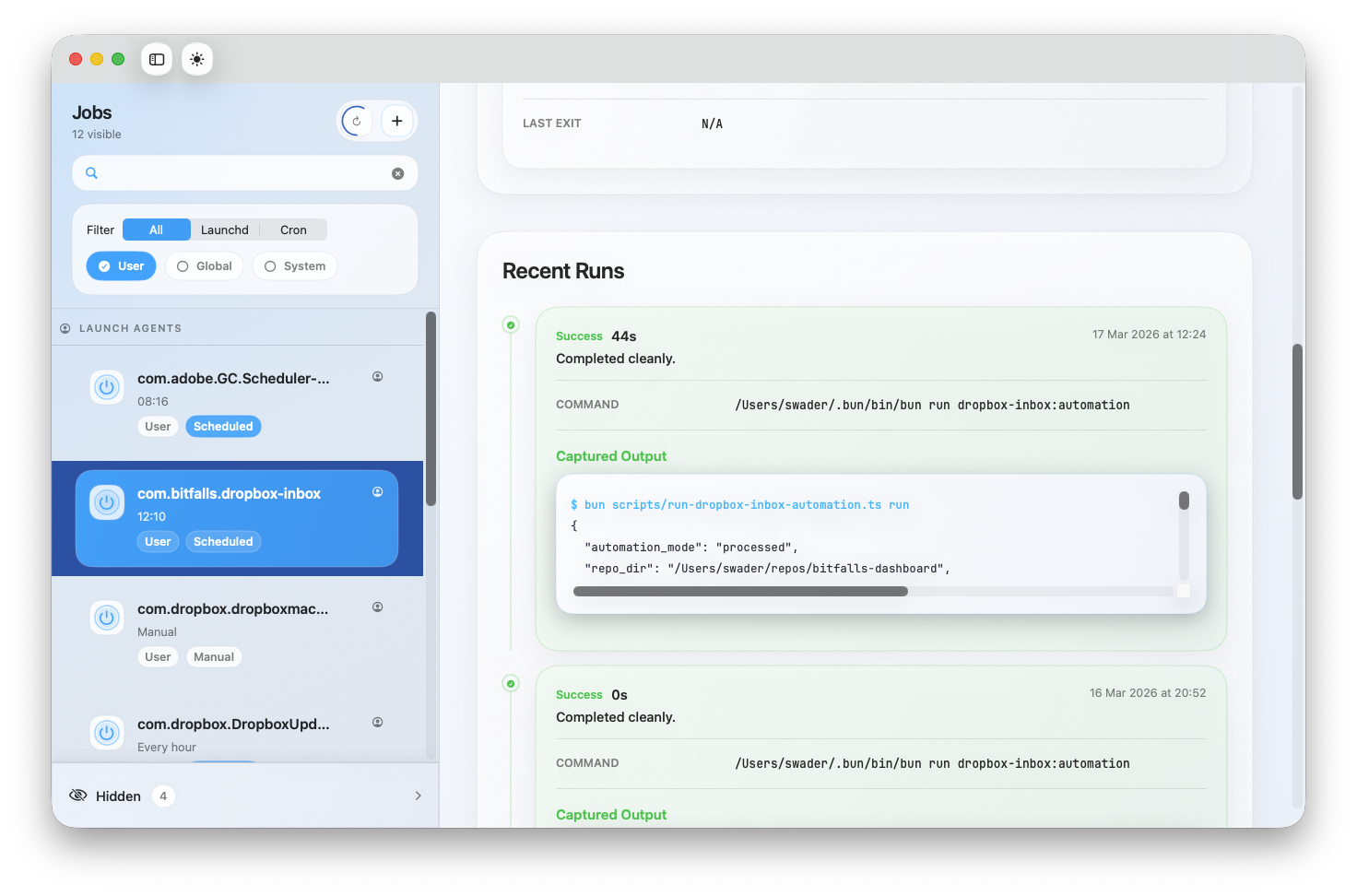
- Lets you inspect schedule, command, runtime state, exit status, and source path in one place.
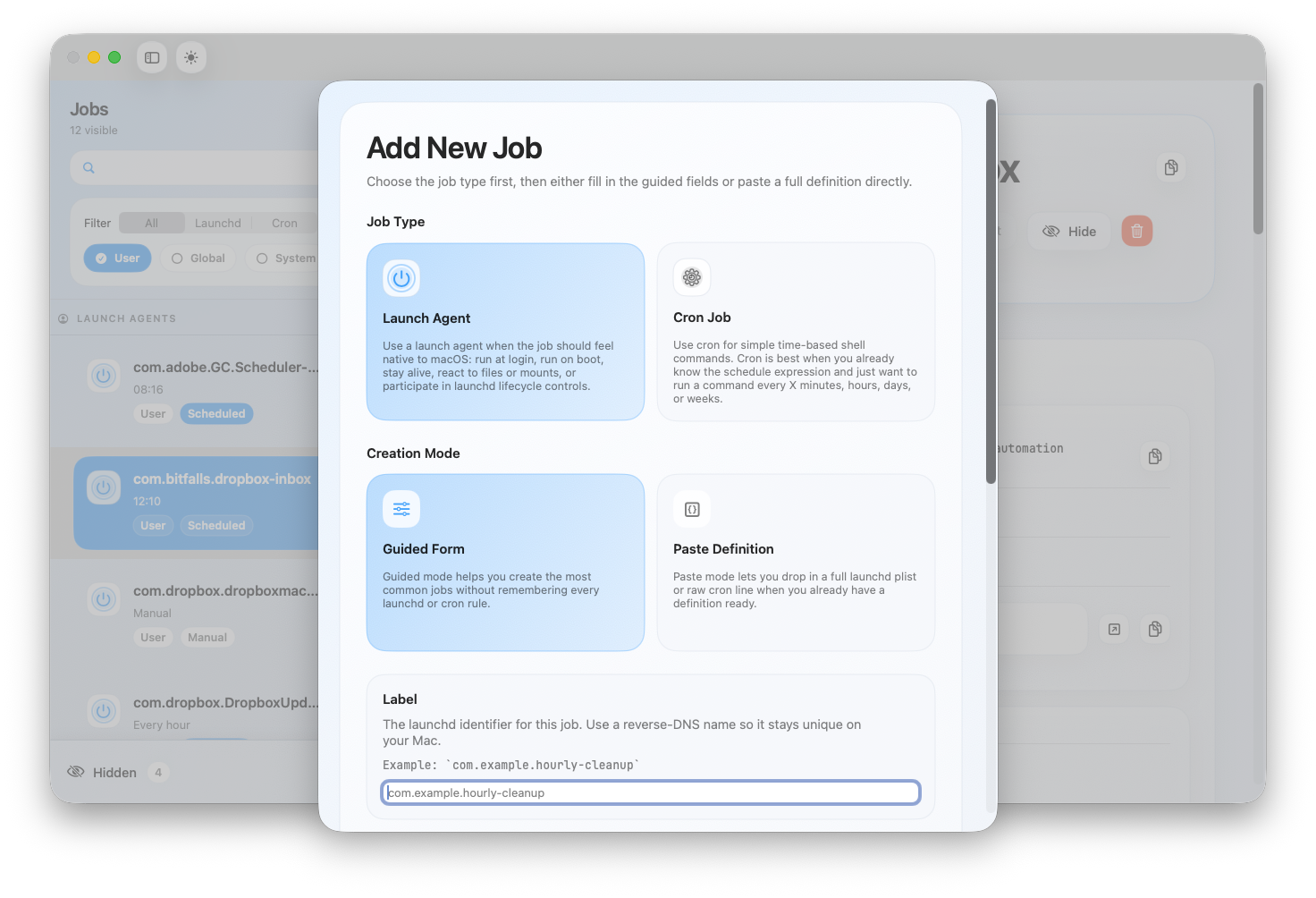
- Makes it easy to create and edit user LaunchAgents and user cron jobs without memorizing plist structure or cron syntax layout.
- Keeps the raw definition visible so you are never trapped inside a simplified abstraction.
How It Works
- Open AgentView.
- Browse jobs by source, including user LaunchAgents and user cron entries.
- Optionally enable visibility into global and system-managed jobs for read-only inspection.
- Select a job to inspect its schedule, command, source file, and runtime state.
- Run it, enable or disable it, edit it, or create a new one.
- Save changes and let AgentView handle the file write and reload flow for you.
What You Can Manage
AgentView is built around the parts of macOS scheduling that power users actually deal with:
- user LaunchAgents in
~/Library/LaunchAgents - the current user's cron jobs
- optional read-only visibility into global LaunchAgents, LaunchDaemons, and system cron sources
That means you can manage the jobs you own directly, while still getting visibility into the wider system when you need context.
Built for real Mac automation
AgentView is designed for developers, sysadmins, indie founders, support engineers, and power users who rely on scheduled tasks but do not want every investigation to start in Terminal.
Typical use cases include:
- checking whether a background job is actually loaded
- finding the plist or cron entry behind a scheduled task
- verifying the exact command a job runs
- inspecting the last exit status of a failing job
- editing a LaunchAgent without hand-writing XML from scratch
- cleaning up old cron entries and agents that have outlived their purpose
- adding new jobs and crons
Local by default
AgentView works with the scheduler data already on your Mac.
It reads plist files locally. It reads your crontab locally. It does not require an account or a cloud backend to inspect and manage your scheduled jobs.
Because it works directly with macOS scheduling systems, AgentView intentionally distinguishes between what your user can manage safely and what should remain read-only. User-owned jobs are editable. System-level jobs are visible for inspection when enabled, but not modified behind your back.
Support
If you run into a bug, want to request a feature, or need help understanding what a scheduled job is doing, contact Bitfalls:
Terms, Refunds, and Privacy
This app uses the shared Bitfalls app legal terms. Review the license, refund window, and privacy policy on the dedicated legal page.
Read the Legal Terms